How to Cancel or Reschedule a Campsite Reservation Without Losing Money
Canceling or rescheduling a campsite reservation does not have to cost you money if you act before the penalty window closes. This guide covers the exact steps to cancel or move dates on the most common booking platforms, how to avoid fees, what to do when fees apply anyway, and the mistakes that send money down the drain.
To avoid losing money on a campsite reservation: cancel at least 2 days before arrival on Recreation.gov (a $10 service fee still applies), or reschedule instead of canceling to keep more of your payment. State park systems vary, so check your confirmation email for the exact cancellation deadline. Acting early is the single most effective way to protect your payment.
Know the Policy Before You Do Anything
Every booking platform sets its own rules. The deadline, refund amount, and process differ across systems.
Recreation.gov charges a $10 non-refundable booking fee on most reservations. If you cancel more than 2 days before your arrival date, the site fee returns to your original payment method. Cancel within 2 days of arrival, and you forfeit the full amount.
ReserveAmerica and state park systems follow individual state rules. Some return 100% with 7 days’ notice. Others charge a flat fee regardless of timing.
Private campgrounds (KOA, Hipcamp, Harvest Hosts) use their own policies. Many private sites offer full refunds 14 days out, partial refunds between 7 and 14 days, and no refund inside 7 days.
Your confirmation email contains the exact policy that applies to your booking. Read that before calling or clicking anything.
When to Act to Avoid the Biggest Losses
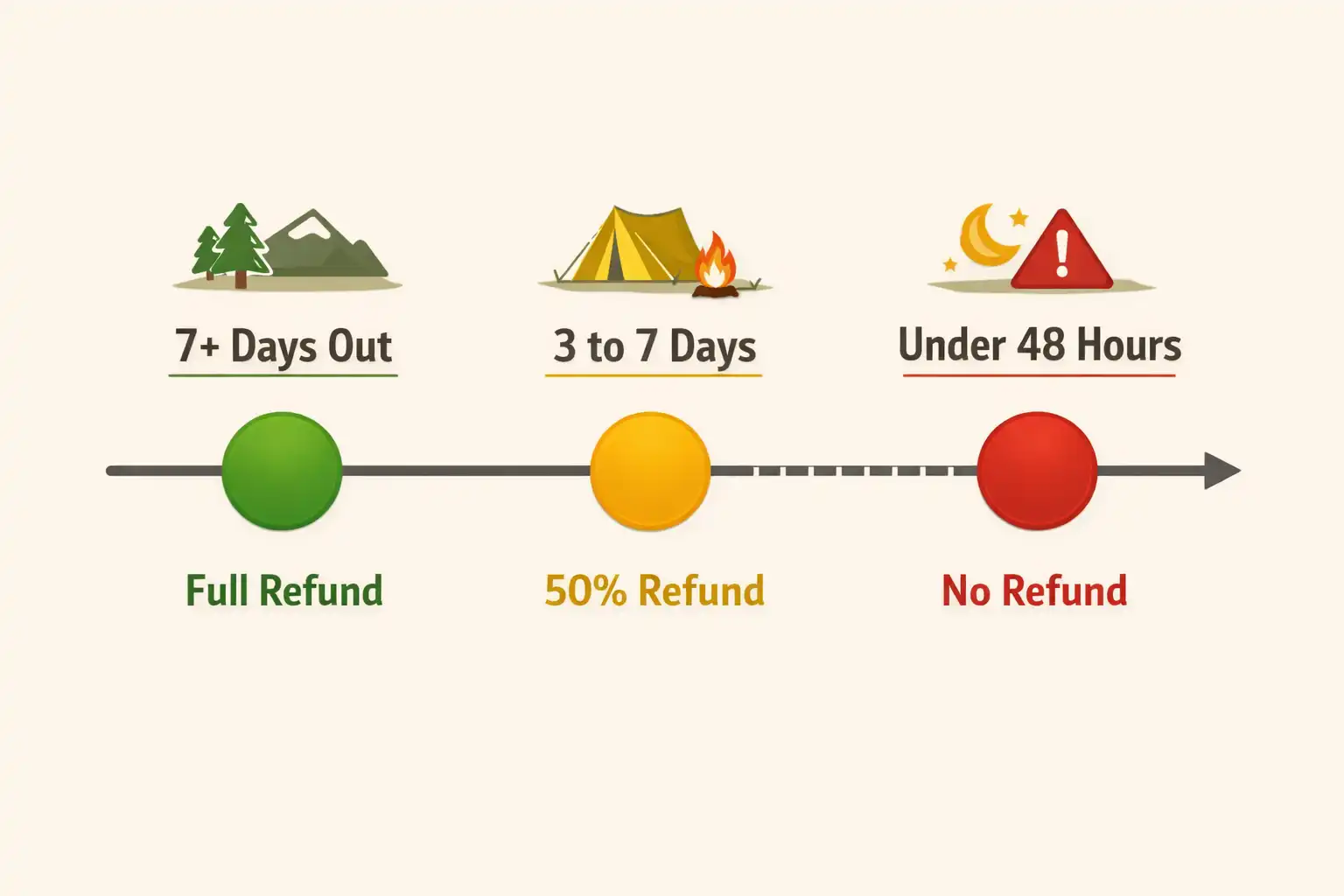
Timing determines how much you recover. There are three windows that matter.
Early cancellation (7+ days out): Most platforms return the site fee in full. You lose only the booking or service fee, which typically runs $8 to $10.
Mid-range window (3 to 7 days out): Some systems shift to partial refunds. Recreation.gov still returns the full site fee at this stage. State parks may deduct one night’s fee.
Late cancellation (under 48 hours): Most platforms keep the entire payment. This is the window to avoid at all costs.
If your plans change, do not wait to see if the situation resolves. Log in and act on the day you know you cannot go.
How to Cancel a Campsite Reservation: Step by Step
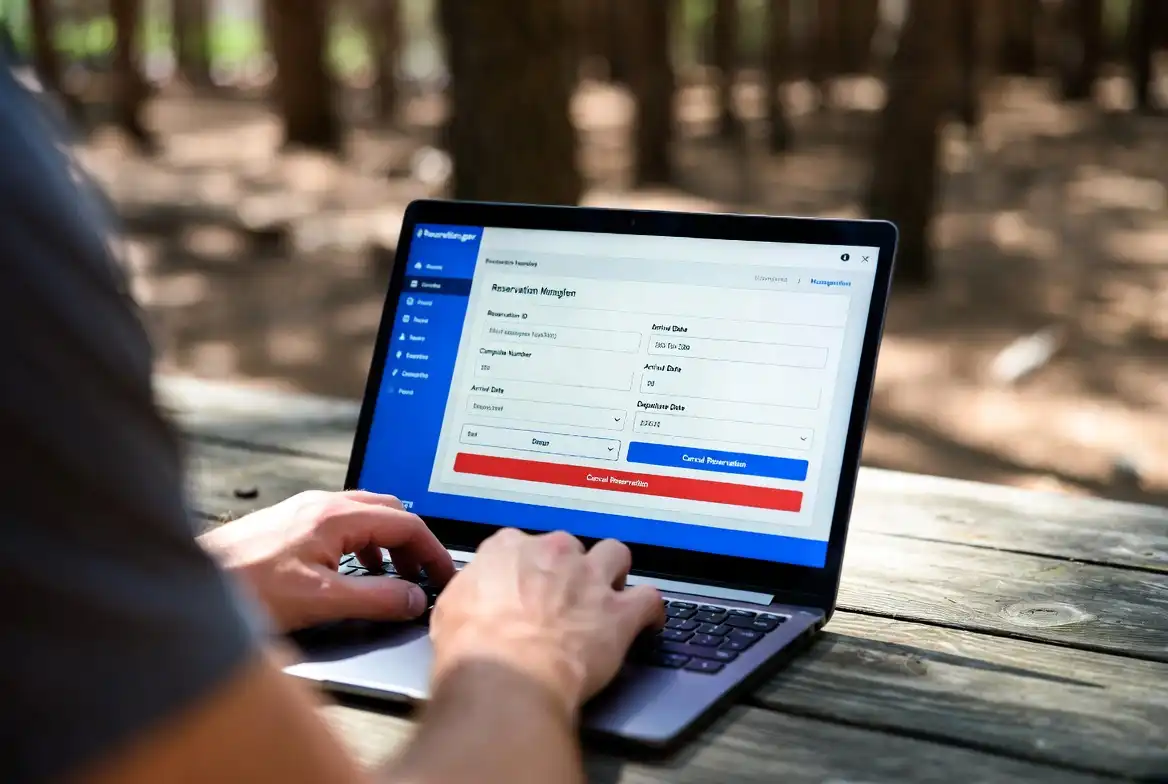
These steps cover the standard process on Recreation.gov and most state park portals. Private sites follow a similar flow.
Step 1: Log in to your booking account. Use the same email address and password you used when booking. Go to “My Reservations” or “My Trips.”
Step 2: Locate your reservation. Open the confirmation for the campsite you want to cancel. Note the arrival date and cancellation deadline shown on that screen.
Step 3: Check the refund amount before confirming. Most platforms display the exact refund you receive before you click “Cancel.” If the refund shows $0, you are inside the no-refund window.
Step 4: Click “Cancel Reservation” and confirm. The system processes the cancellation immediately. A confirmation email arrives within a few minutes.
Step 5: Check your refund timeline. Recreation.gov returns funds in 5 to 7 business days. State park systems vary from 3 to 14 business days. Credit card processors may add 2 to 5 days on top of that.
If you booked by phone, call the same number to cancel. Keep the cancellation confirmation number.
How to Reschedule Instead of Canceling
Rescheduling often saves more money than a straight cancellation. Platforms that allow date changes let you keep your original booking fee applied to the new dates.
On Recreation.gov: Open your reservation, select “Modify Reservation,” and choose new dates. The system checks availability and moves your booking without charging a new service fee in most cases. You pay or receive a refund for any rate difference.
On state park portals: Many systems label this feature “Change Dates” or “Modify.” The same logic applies. Some states allow one free change and charge a small fee for additional changes.
On private campgrounds: Contact the host directly. Many private hosts prefer to move your booking rather than process a refund. A quick message explaining your situation resolves it faster than using the online form.
Rescheduling works best when you have flexible dates. If the campsite you want is fully booked on your new dates, you face a cancellation anyway, so check availability before starting the modification process.
When planning future trips, I covered trip cost management in detail in this guide to planning an outdoor trip budget — it includes how to factor in booking fees and deposits from the start.
How to Get a Refund When Fees Apply Anyway
Sometimes you cancel inside the penalty window. These options help recover some or all of those costs.
Trip cancellation insurance: Several travel insurance providers cover campsite reservation fees if you cancel for a covered reason, including illness, injury, or severe weather. Purchase this at the time of booking, not after.
Credit card travel protections: Some travel credit cards offer trip cancellation or interruption benefits. Check your card’s benefits guide. You file a claim with your card issuer, not the campground.
Contact the park directly: If a medical emergency, severe storm, or closed road prevents your trip, call the ranger station or park office directly. Many parks grant a one-time courtesy refund or credit for documented emergencies. Ask specifically for a “hardship waiver.” This does not always work, but it costs nothing to ask.
Sell or transfer the reservation: Some booking platforms allow you to transfer a reservation to another person. Recreation.gov permits name changes on reservations in certain cases. If a friend or family member can use the site, a transfer avoids any cancellation loss entirely.
Common Mistakes That Cost Money
These are the errors I see repeated most often in camping groups and forums.
Waiting to decide. Every extra day you wait shrinks your refund window. Log in the moment your plans change.
Canceling instead of modifying. Modification preserves your booking fee in most cases. Cancellation forfeits it. Always check if a date change is available first.
Not reading the specific policy on your confirmation. Platform rules change. A policy that worked last year may differ now. The confirmation email holds the current terms.
Booking non-refundable sites without checking. Some campsites carry a “non-refundable” tag at booking. These appear frequently during peak season on high-demand sites. Select the standard rate if flexibility matters to you.
Ignoring the time zone on the deadline. Recreation.gov cancellation deadlines run on the local time zone of the campsite, not your home time zone. A midnight deadline in a park two time zones west gives you two extra hours, but missing that detail costs you if the park is east.
For season-specific booking strategy, I covered this in my article on choosing the best season for a destination trip — booking timing directly affects your cancellation flexibility.
If you are building your full trip checklist to avoid last-minute problems, my 2-night camping checklist guide covers the planning details that prevent rushed decisions.
What to Do When the Campsite Is Non-Refundable
Non-refundable sites still have options.
Check transfer rules first. Even non-refundable reservations sometimes allow name transfers. Confirm this with the platform or park before assuming the money is gone.
Post in camping communities. Facebook groups, Reddit’s r/camping, and Hipcamp’s community boards have active members looking for last-minute sites. A transferred reservation helps someone else and recovers your cost.
Document reasons for a dispute. If a park closes due to fire, flood, or hazardous conditions, the park cancels your reservation and refunds you automatically. If the park fails to do this, contact your payment processor for a dispute based on services not rendered.
I have also written about choosing a campsite when you arrive late for situations where last-minute changes send you searching for alternatives on arrival day.
Frequently Asked Questions

Does Recreation.gov charge a cancellation fee?
Recreation.gov charges a $10 non-refundable booking fee on most standard reservations. If you cancel before the 2-day window, the site fee returns to you. The $10 fee does not return regardless of when you cancel.
Can I reschedule a campsite reservation without paying again?
Most platforms allow one free date change on standard reservations. Recreation.gov applies the modification through the “Modify Reservation” tool without charging a new service fee in most cases. Availability on your new dates determines whether the move goes through.
What happens if the campground closes after I book?
If a park or campsite closes due to conditions outside your control, such as wildfire, flooding, or government closure, the platform refunds your full payment including booking fees. You do not need to request this; the park or platform processes it automatically.
How long does a campsite refund take to process?
Recreation.gov processes refunds within 5 to 7 business days after cancellation. State park systems range from 3 to 14 business days. Your bank or card issuer may add 2 to 5 additional business days before the funds appear.
Can I cancel a same-day reservation?
Most platforms do not allow cancellations on the day of arrival. The no-show policy applies instead, and you forfeit the full payment. Contact the park directly by phone on the morning of arrival if an emergency arises; some parks log a courtesy hold.
Conclusion
The money stays yours when you act early, check the exact policy on your confirmation, and choose modification over cancellation whenever possible. Know the cancellation deadline before you book, not after plans change.
On Recreation.gov, that deadline sits at 2 days before arrival. State parks and private campgrounds vary, so treat every reservation as its own case. Keep your confirmation email, act the day your plans shift, and you recover most, if not all, of what you paid.